
Trusted lists
The EU lists of trusted issuers and wallet providers, and the master list of the authorities that sign passports and ID cards. The wallet and every checker use them to tell a genuine document from a fake.
EUDI Wallet · ARF 3.0 · eIDAS 2.0
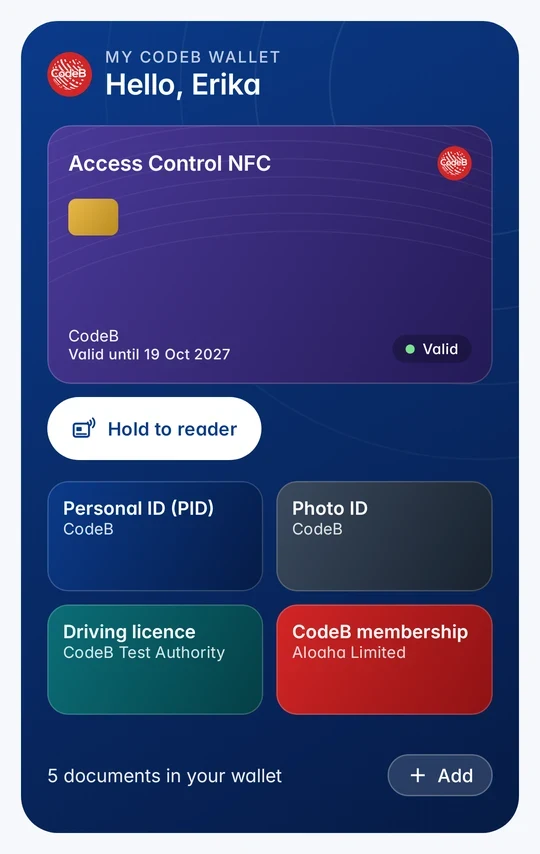
In one sentence: CodeB Wallet keeps your documents – such as your PID, driving licence and member cards – on your Android phone, gets them from issuers with OpenID4VCI, and shows only what you approve to websites (OpenID4VP) and in person (ISO 18013-5), while trusted lists and status lists let everyone check that a document is genuine and still valid.
Every role of the EU Architecture and Reference Framework (ARF 3.0) and the CodeB part that fills it – the app and the server modules it works with.
| ARF 3.0 role | CodeB building block | What it does |
|---|---|---|
| Wallet Provider | Wallet provider Show in picture | Wallet instance and key attestations, revocation of lost wallets |
| Wallet Unit (mobile) | CodeB Wallet for Android Show in picture | The wallet on the phone: documents, consent, in person and online |
| Wallet Unit (browser) | Web Wallet Show in picture | The same documents and protocols in the browser |
| Wallet for organisations | Business Wallet Show in picture | Company credentials used by several authorised people |
| WSCA / WSCD | Secure hardware of the phone + Remote key storage Show in picture | Keys in the phone's Keystore / StrongBox, or PID keys on the server protected by phone and PIN |
| PID Provider | Credential issuer (PID) + passport & ID chip check Show in picture | Identity proofing from the chip, PID as SD-JWT VC and ISO mdoc |
| Attestation (EAA) Provider | Credential issuer Show in picture | mDL, Photo ID, membership, access and PKI cards (OpenID4VCI) |
| Relying Party | Verifier & Relying Party Gateway + Sign in with EU Wallet Show in picture | Asks for exactly the data needed (OpenID4VP, HAIP), OpenID Connect for websites |
| Intermediary | Wallet Intermediary Show in picture | Acts for many relying parties, each under its own name and registration |
| Registrar | Relying-party register + registration certificates Show in picture | Register entries and ETSI TS 119 475 registration certificates with a status list |
| Access Certificate Authority | Access-certificate CA Show in picture | Access certificates for relying parties and intermediaries, CRL |
| Trusted lists | Trusted lists Show in picture | Uses the EU list of trusted lists and the passport authorities' master list |
| Revocation | Status lists Show in picture | Status list per credential and per wallet, checked by every verifier |
| Signature creation | Signing & timestamps Show in picture | Signing from the wallet (CSC v2), RFC 3161 timestamps, OCSP |
| Data protection | Privacy & compliance Show in picture | Deletion requests, reports for data protection authorities, impact assessment and records templates |
Supervisory bodies, conformity assessment bodies and the operators of national trusted lists are public authorities; CodeB connects to them but does not take their role. Self-declared, not certified.
Choose a box for details or a flow to follow it step by step. Arrows show who sends what to whom. On a small screen, swipe the picture sideways.
The EU lists of trusted issuers and wallet providers, and the master list of the authorities that sign passports and ID cards. The wallet and every checker use them to tell a genuine document from a fake.
Every document points into a status list. If it is withdrawn – or a phone is lost – a bit flips, and the next check sees it, without the issuer learning where you used it.
Websites and readers sign every request. Their registration certificate lists exactly which data they registered for; CodeB Wallet shows their name and purpose and warns when a request asks for more. More →
Hold your passport or ID card to the phone. The server reads the chip itself and checks the issuing country's signature and that the chip is not a copy. More →
Issues documents into your wallet with OpenID4VCI – as SD-JWT VC and ISO mdoc – bound to keys of your phone, each with a status list entry. More →
PID, mobile driving licence, Photo ID, membership and employee cards, NFC access cards for doors, NFC tags and PKI cards that turn the phone into a smart card. More →
Your wallet on the phone: keeps your documents, asks before anything is shared, shows them online and in person, signs documents, opens doors, reads passport chips and works as a smart card at a PC. Keys stay in the phone's secure hardware. More →
Confirms to issuers that this is a genuine, up-to-date CodeB Wallet on an intact phone and that its keys are hardware-protected (wallet and key attestation). A lost phone's wallet is revoked here.
Can keep the PID's keys on the server instead of in the phone. Every use needs this phone and your wallet PIN; the PIN itself is never sent.
The same documents and protocols in the browser. More →
Company credentials used by several authorised people. More →
A counter, a car rental desk or another phone running CodeB Wallet in Verify mode – and door or PC card readers for access and PKI cards. More →
Asks your wallet for exactly the data a service needs (OpenID4VP, HAIP), checks the answer against the trusted lists and the status lists, and hands the result to the service. More →
Websites and apps add a standard OpenID Connect sign-in and receive only the data you approved. More →
Sign PDFs from the wallet with the CodeB signing service (Cloud Signature Consortium API) – or locally with your own signature card, such as the Maltese eID, over NFC. More →
Acts for many relying parties, each under its own name and registration. More →
You decide what is shared, every sharing is listed in History, no trackers – in the app and on these websites. More →
Also available in the browser and for companies: the Web Wallet and the Business Wallet – see all CodeB EUDI modules in one picture on aloaha.com.
An EU Digital Identity Wallet (EUDI Wallet) for Android by Aloaha in Malta. It keeps your PID, driving licence, member and access cards on your phone and shows only what you approve – online with OpenID4VP and in person with ISO 18013-5.
On your phone. The keys stay in the phone's secure hardware (Android Keystore, StrongBox where available); the wallet is locked with your PIN or fingerprint.
It checks the issuer's signature against the EU trusted lists, the key binding to your phone, and the status list entry – so it sees whether the document is still valid.
Revoke the wallet on your CodeB account page. Its status entry flips and verifiers stop accepting the lost phone's documents. On a new phone you get your documents again or restore your encrypted backup.
OpenID4VCI to receive documents, OpenID4VP and HAIP to share them online, ISO 18013-5 in person, SD-JWT VC and ISO mdoc as formats, following ARF 3.0 under eIDAS 2.0. It is not certified.
Yes: add #flow= and the flow id to the address – onboard, signin, inperson, sign, lost or biz.
Install the closed beta (Google Play) Closed beta: open only to invited testers signed in to Google Play with the e-mail address on our tester list. To join the beta, contact us at info@aloaha.com.