
NFC · NDEF · read-only
Your phone as a read-only NFC tag
A read-only NFC memory card makes your Android phone answer like a standard NFC tag – for example a sticker or key fob. It holds what your organisation put on it: a link, a text, a contact card or other data. Any phone or NFC reader can read it. No reader can change it.
- Standard NFC tag (NDEF)
- Nobody can overwrite it
- Answers only when you choose
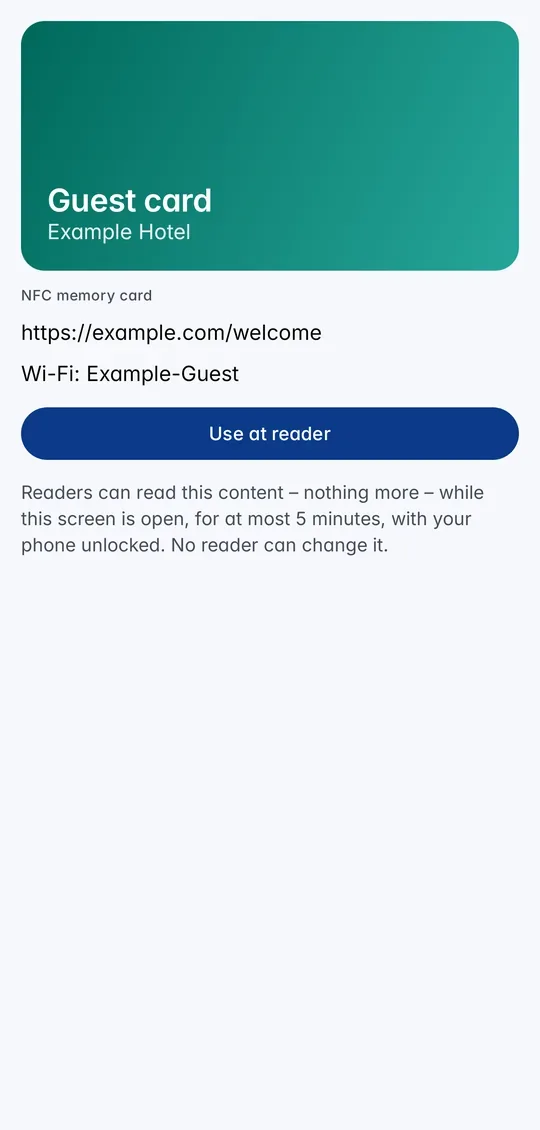
The steps in the app
1Open the card and tap Use at reader. 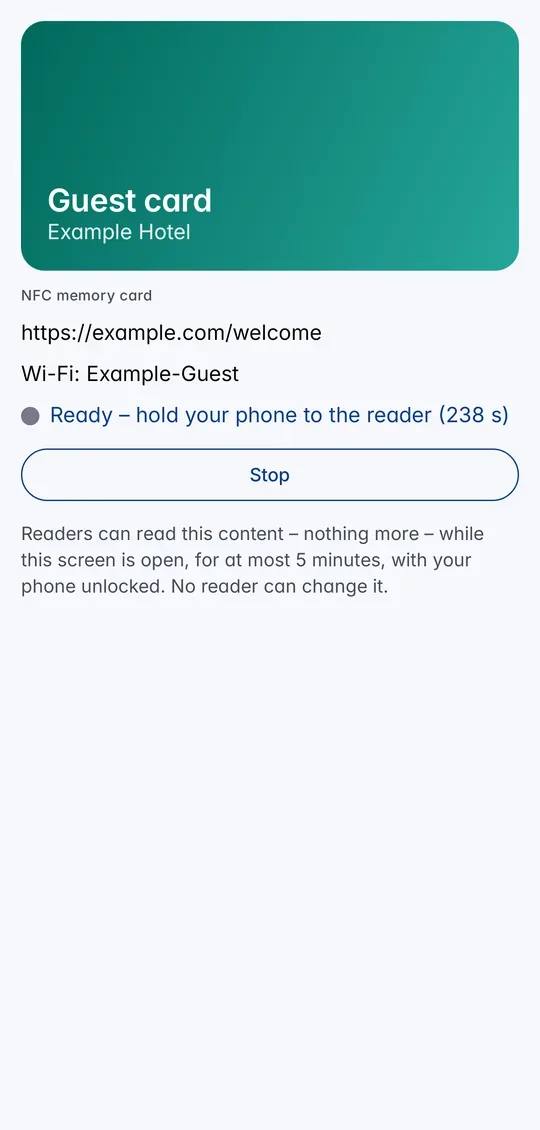
2Hold the phone to the reader while the card is ready.
What is a read-only NFC tag?
An NFC tag is a small piece of memory that a phone or reader reads when you hold it close – think of the stickers on posters or the tags on hotel key fobs. The content is stored in the open NDEF format of the NFC Forum, so every NFC phone understands it.
With CodeB Wallet your phone acts as such a tag (an NFC Forum Type 4 tag). Read-only means the content is fixed: readers can read it, but every attempt to write is refused. Only your organisation can change it, by issuing the card again.
What it can hold
Up to four entries, together up to about 4 KB: a link (for example a web page or a booking), a text (a number, a code, a short message), a contact card (vCard) or other data that a special reader expects.
You see the content in the card in CodeB Wallet before you use it. Good uses: a welcome page for guests, a link to a menu or a manual, a member or ticket number for a check-in terminal, a contact card to share at an event.
What you need
An Android phone with NFC and CodeB Wallet, and a read-only NFC memory card from your organisation. Organisations create it on phone.codeb.io as a card template with the function “NFC memory card” and send you an invitation.
How to use it
- Accept the invitation from your organisation. The NFC memory card appears in your wallet.
- Open the card and check its content. Tap Use at reader – or Hold to reader when the card is in front on the home screen.
- Hold the back of your phone to the reader or the other phone and keep the phone unlocked.
- Done. Tap Stop – leaving the screen ends it as well.
What can read it
Another Android phone or an iPhone, NFC apps such as NFC Tools, the Home Assistant app, check-in and visitor terminals, and USB or industrial NFC readers that support Type 4 tags.
Simple card readers that only know plastic tags (NTAG, MIFARE) – for example ESPHome readers with a PN532 – do not read a tag on a phone. See smart locks and readers.
Only when you choose
Your phone answers as the tag only after you tap Use at reader (or Hold to reader on the home screen), for at most five minutes, and only while the phone is unlocked. Only the card you chose answers. Meanwhile your phone does not offer your ID and does not read other phones. Payment apps and your other cards are never affected.
Like any NFC tag, whoever reads it can copy its content. Do not use it as a key. For doors use the CodeB Access card, which answers with a fresh signature every time.
Questions about the read-only NFC tag
Can my Android phone act as an NFC tag?
Yes. With an NFC memory card in CodeB Wallet your phone answers as a standard NFC Forum Type 4 tag with NDEF content – a link, a text, a contact card or other data.
Can a reader change a read-only tag?
No. Every write is refused. Only your organisation can change the content, by issuing the card again.
Does an iPhone read it?
Yes. An iPhone reads NDEF tags, so it can open a link or show a text from your phone’s tag.
Is it safe to put a password on it?
No. Whoever reads an NFC tag can copy it. Use it for links, numbers and contact details – for doors use the CodeB Access card.
What is the difference to a writable NFC tag?
A read-only tag always shows what your organisation issued. A writable NFC tag lets a reader store new content on your phone.
Install the test version (Google Play) Closed beta: works only for invited testers who are signed in to Google Play with the e-mail address we have on our tester list.