
2FA · TOTP · authenticator
One-time codes for two-step sign-in (authenticator)
Many websites ask for a six-digit code from an authenticator app when you sign in – two-step sign-in, also called two-factor authentication (2FA) or TOTP. CodeB Wallet has an authenticator built in: the codes are made on your phone, also without internet, and are kept apart from your documents.
- Works offline
- Groups and search for long lists
- Move to a new phone by QR
One-time codes in the app
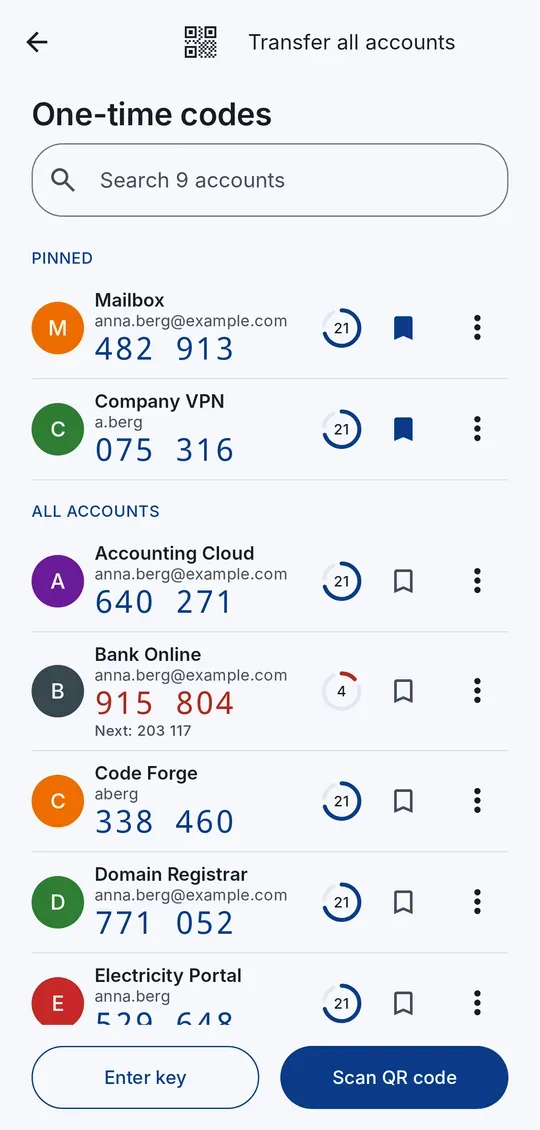
1Tap an account to copy its current code. 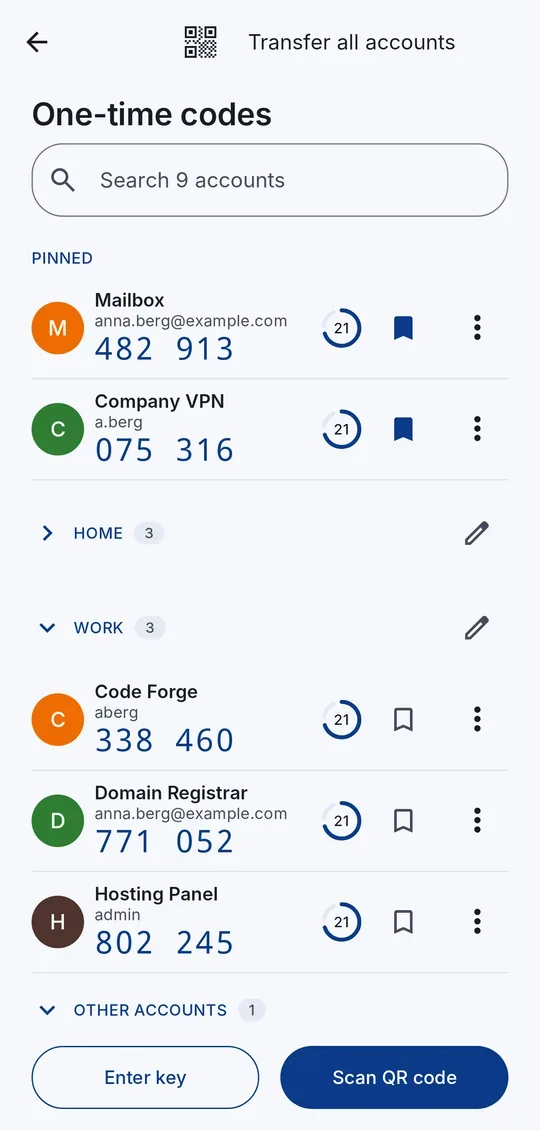
2Put accounts into groups such as Work or Family. 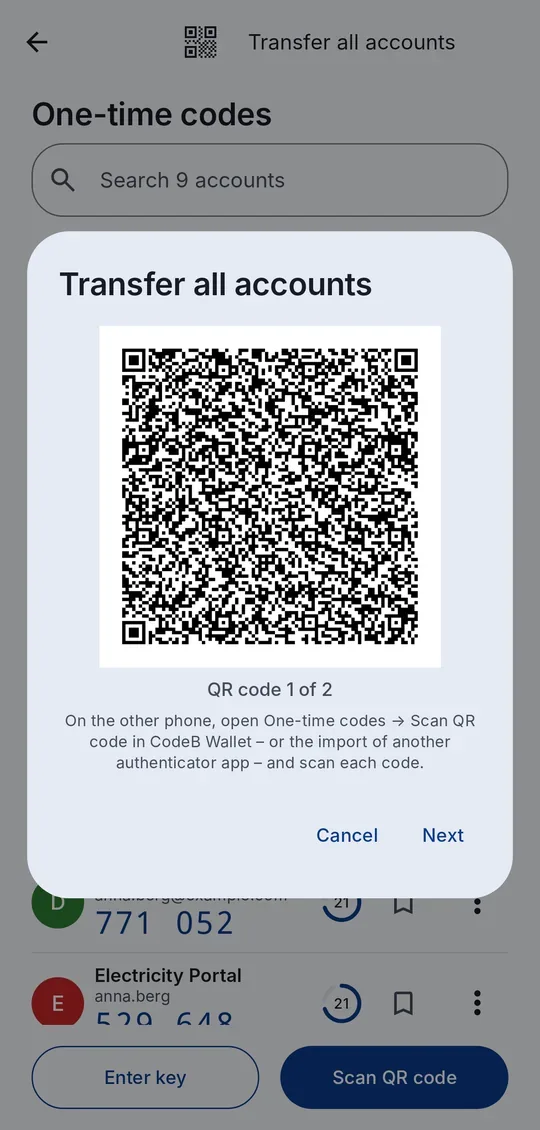
3Move all accounts to another phone with QR codes.
How to add an account
- On the website, turn on two-step sign-in (often called “authenticator app” or “2FA”). It shows a QR code.
- In CodeB Wallet open the menu → One-time codes → Scan QR code and scan it. No QR code? Tap Enter key and type the key the website shows.
- Type the six-digit code shown in CodeB Wallet on the website to finish. From now on, tap the account to copy its current code.
Made for long lists
Pin the accounts you use most to the top; the rest are sorted A–Z by service. Put accounts into groups such as Work or Family. From six accounts a search field appears. In the last five seconds of a code the next one is already shown, so you never type a code that is about to expire.
Move codes to a new phone
Tap Transfer all accounts: CodeB Wallet shows the accounts as QR codes, several per code. Scan them on the other phone in CodeB Wallet or with the import of another authenticator app. The other way round works too: scan the transfer QR codes of another authenticator app in CodeB Wallet.
Safe by design
A copied code is removed from the clipboard after 30 seconds. A tapped “add to authenticator” link (otpauth://) opens CodeB Wallet after your PIN; the app always shows which accounts would be added and asks first. Your one-time code accounts are included in “Back up to a file”, protected by your backup password.
Two-step sign-in for your CodeB account
Signed in to your CodeB account in the app? Turn on two-step sign-in there with one tap – the app adds the account to its one-time codes and confirms it for you.
Questions about one-time codes
Can CodeB Wallet replace Google Authenticator or another authenticator app?
Yes, for websites that use standard six-digit codes (TOTP). Scan the website’s QR code, or move your accounts over with the transfer QR codes of your old authenticator app.
Do the codes work without internet?
Yes. The codes are made on your phone from the key you added; no internet connection is needed.
How do I move my codes to a new phone?
Tap Transfer all accounts: CodeB Wallet shows the accounts as QR codes. Scan them on the new phone in CodeB Wallet or in another authenticator app.
Are my one-time codes backed up?
Yes, in “Back up to a file”, protected by your backup password. When restoring you choose whether to add them.
What is TOTP?
Time-based one-time password: a six-digit code that changes every 30 seconds, computed from a secret shared once with the website. It is the most common form of two-factor authentication.
Install the test version (Google Play) Closed beta: works only for invited testers who are signed in to Google Play with the e-mail address we have on our tester list.